Sponsored link
MySlimeLab game iconMySlimeLab
Guide hub

My Slime Lab Player Guides

Everything documented about My Slime Lab, organized by player task: learn the loop, understand mix-ins, plan offline earnings. Checked October 9, 2026 against the official Roblox surfaces.

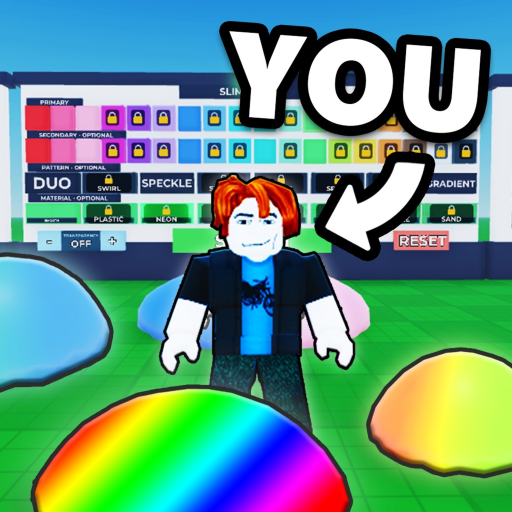
My Slime Lab is a slime-creation sandbox by That Ver's Villainy: you craft a slime with softbody physics, customize it from four documented families, sell it to friends for goo, and collect offline sales at a +25% bonus per friend while the Order Counter pays active players for perfect slimes. Launched July 22, 2026 and last updated September 8, 2026 with the Slime Namer and Slime Printer machines, the game has no manual or patch-note archive — so each guide below anchors its steps to the official description and event pages, and marks clearly where your own session is the only remaining authority.

The guides

Pick the guide that matches your current task

Each summary below compresses its full page; the cards link through to the complete guide with steps, checks, and FAQ.

Read this first if the game is still new to you.

The full documented loop in order: create a slime, customize it from the four official families (colors, patterns, mix-ins, materials), play with its softbody physics, sell it to friends in your six-player server, collect offline sales, and spend the goo on unlocks. The guide walks each step, flags the parts players expect to exist that no source documents yet — exact control schemes chief among them — and points to the in-game prompts that are authoritative instead.

Takeaway: Follow the loop in one session; the selling and unlock steps are where the game's economy opens up.

Read this when customization choices pile up and you want to know what mix-ins actually do.

Mix-ins are one of the four customization families the official description names, and community clips treat them as the texture-craft layer: what goes inside your slime changes how it squishes, crunches, and reads on camera. The guide explains the documented framing, collects what community videos show (crunchy and wax-style mixes draw the most attention), and stays honest about the boundary — no public source publishes a complete item list, prices, or effect table, so the guide teaches you how to evaluate mix-ins in your own lab rather than ranking inventions.

Takeaway: Treat mix-ins as craft choices with a documented home in the unlock path — and as the family the Order Counter judges most directly.

Read this before your first long break from the game.

Offline selling is the official description's headline economy feature: slime keeps selling while you are away, and every friend in the server adds a documented +25% goo bonus. The guide explains what that line does and does not cover — eligibility, stacking, and caps are details the official copy leaves open — and hands you an observation checklist so the numbers you feed the calculator are ones you actually measured: what one slime paid, how many sold per hour, and whether earnings ever stopped.

Takeaway: Collect a baseline before you log off, invite friends when you can, and let measured values drive the estimate.
Supporting tools

Guides work best with the right page open

The guides reference these pages; each one does a job the guides deliberately do not duplicate.

Reading order

A suggested path through the site

  1. 1. Learn the loop so every menu you meet has a purpose attached.
  2. 2. Skim the customization families and the mix-ins guide before spending your first goo on looks.
  3. 3. Run one measured session, then use the calculator with the offline-sales checklist.
  4. 4. Chase the perfect-order multiplier, since it is the largest documented goo boost in the game.
  5. 5. Recheck updates and codes after every patch — the official description and event pages are the developer's change log (the description's UPDATE section that announced the September 8 machines was removed by the October 9, 2026 check).

Community context lives on the game's TikTok discover page, where clip-based showcases of mix-in textures and machine outputs complement these written guides — the same customization families these pages document from the official side.